

AI Video Noise Cancelers: The 2026 Guide to Cleaner Audio
AI Video Noise Cancelers: The 2026 Guide to Cleaner Audio
Audio is the secret weapon of great video. Viewers will forgive a slightly soft focus or a minor color issue, but they will click away in seconds if the sound is bad. Background hum, traffic noise, wind, keyboard clicks, and echo can ruin an otherwise perfect shot. That is why AI video noise cancelers have become one of the most important tools in a video editor's kit.
In 2026, these tools are not just for professionals anymore. They are built into free apps, available as plugins for major editors, and even running on your phone. But with so many options, it is hard to know which ones actually work and how to use them without making your audio sound weird.
This guide will walk you through everything you need to know about AI video noise cancelers. We will cover how they work, what types of noise they can remove, which tools are worth your time, and how to get the best results. No hype, no jargon. Just practical advice.
Why Noise Is Such a Big Problem
Let us start with why noise matters so much. When you record video, you are usually recording audio at the same time. Unless you are in a professional sound booth, your microphone is picking up everything around you. That includes the good stuff, like your subject's voice, and the bad stuff, like the air conditioner, the refrigerator, the neighbor's dog, and the distant highway.
Our brains are amazing at filtering out background noise. When you are in a room, you can focus on the person talking and ignore the hum of the lights. But a microphone does not have that ability. It records everything equally. When you play back the video, the viewer hears all that noise, and it makes the audio feel amateurish and hard to listen to.
The traditional solution was to use expensive microphones, soundproof rooms, and hours of manual audio editing. That works if you have the budget and the time. But most video creators do not. That is where AI noise cancelers come in.
AI noise cancelers use machine learning to separate the sound you want from the sound you do not want. They can remove noise in seconds, often with just a single click. They are not perfect, but they have gotten very good in the last few years. For many creators, they are the difference between usable audio and unusable audio.
How AI Noise Cancellation Works
To understand how AI noise cancelers work, it helps to know a little about how sound is represented digitally.
When you record audio, the microphone converts sound waves into an electrical signal. That signal is then sampled thousands of times per second and converted into numbers. The result is a waveform that represents the sound. Noise is just unwanted patterns in that waveform.
Traditional noise reduction tools work by analyzing the waveform and trying to find repeating patterns that look like noise. For example, a constant hum from an electrical device has a steady frequency. A tool can identify that frequency and reduce it. This works well for simple, predictable noise. But it struggles with complex noise like traffic, crowd chatter, or wind.
AI noise cancelers take a different approach. They are trained on thousands of hours of audio. During training, the AI learns what speech sounds like and what different types of noise sound like. It learns to recognize the patterns that make up a human voice and the patterns that make up background noise. When you run your audio through the AI, it uses that knowledge to separate the two.
The result is much more natural than traditional noise reduction. Instead of just filtering out frequencies, the AI is actually reconstructing the voice and removing the noise. It can handle complex, changing noise that would be impossible to remove with traditional tools.
Most AI noise cancelers work in real time or near real time. Some run on your computer, using your CPU or GPU. Others run in the cloud, which means you upload your audio, wait for it to process, and then download the result. Cloud-based tools are often more powerful because they can use bigger models, but they require an internet connection and may raise privacy concerns.
Types of Noise AI Can Remove
Not all noise is the same. Different AI tools are better at different types of noise. Here are the most common types you will encounter and how well AI handles them.
Constant hum. This is the low-frequency noise from electrical devices, air conditioners, and refrigerators. AI noise cancelers handle this very well. It is easy to identify because it is steady and predictable.
Wind noise. Wind hitting a microphone creates a rumbling, thumping sound. This is harder to remove because it is not steady. Some AI tools are specifically trained for wind noise and do a decent job. Others struggle and may leave artifacts.
Traffic noise. Cars, trucks, and motorcycles create a complex mix of low rumble and higher-frequency hiss. AI can reduce this significantly, but it may also remove some of the low end of the voice, making it sound thin.
Crowd chatter. Background conversations are one of the hardest types of noise to remove. The frequencies overlap with human speech, so it is difficult to separate the target voice from the crowd. AI is getting better at this, but it is still not perfect.
Keyboard clicks and mouse clicks. These are short, sharp sounds. AI can usually remove them without affecting the voice, but it may leave a slight gap or a soft thump where the click was.
Echo and reverb. This is not exactly noise, but it is a related problem. Echo happens when sound bounces off walls and other surfaces. AI dereverb tools can reduce echo, but they can also make the voice sound unnatural if pushed too far.
Room tone. Every room has a subtle background sound. It is not always bad, but it can be distracting. AI can reduce room tone to near silence, which is useful for interviews and voiceovers.
Clipping and distortion. This happens when the audio is too loud and the waveform gets cut off. AI cannot fully fix clipping, but some tools can soften the harshness and make it less noticeable.
The key takeaway is that AI noise cancelers are not magic. They work best on steady, predictable noise. They struggle with noise that overlaps with the human voice. And they can introduce artifacts if you push them too hard.
The Best AI Noise Canceler Tools in 2026
Now let us look at some of the best tools available. I have grouped them by category so you can find the one that fits your workflow.
Standalone Desktop Apps
Adobe Podcast Enhance. This is one of the most popular AI audio tools. It is free to use (with limits) and works in a web browser. You upload your audio, and it uses AI to remove noise and improve clarity. The results are often stunning. It can make a noisy recording sound like it was done in a studio. The downside is that it can sometimes make voices sound a bit robotic or over-processed, and it does not give you much control over the settings.
Krisp. Krisp is a desktop app that works in real time. It sits between your microphone and your recording software and removes noise as you record. It is popular for podcasts, video calls, and live streaming. It is not a post-production tool, but it is great for getting clean audio from the start.
NVIDIA Broadcast. If you have an NVIDIA graphics card, this is a fantastic free option. It uses your GPU to remove noise from your microphone in real time. It also has features for background blur and video noise removal. It is designed for streaming and video calls, but it works well for any kind of recording.
Supertone Clear. This is a newer tool that focuses on voice isolation. It can remove background noise, echo, and reverb while preserving the natural sound of the voice. It is available as a standalone app and as a plugin for major editors. It is not free, but the results are excellent.
Plugins for Video Editors
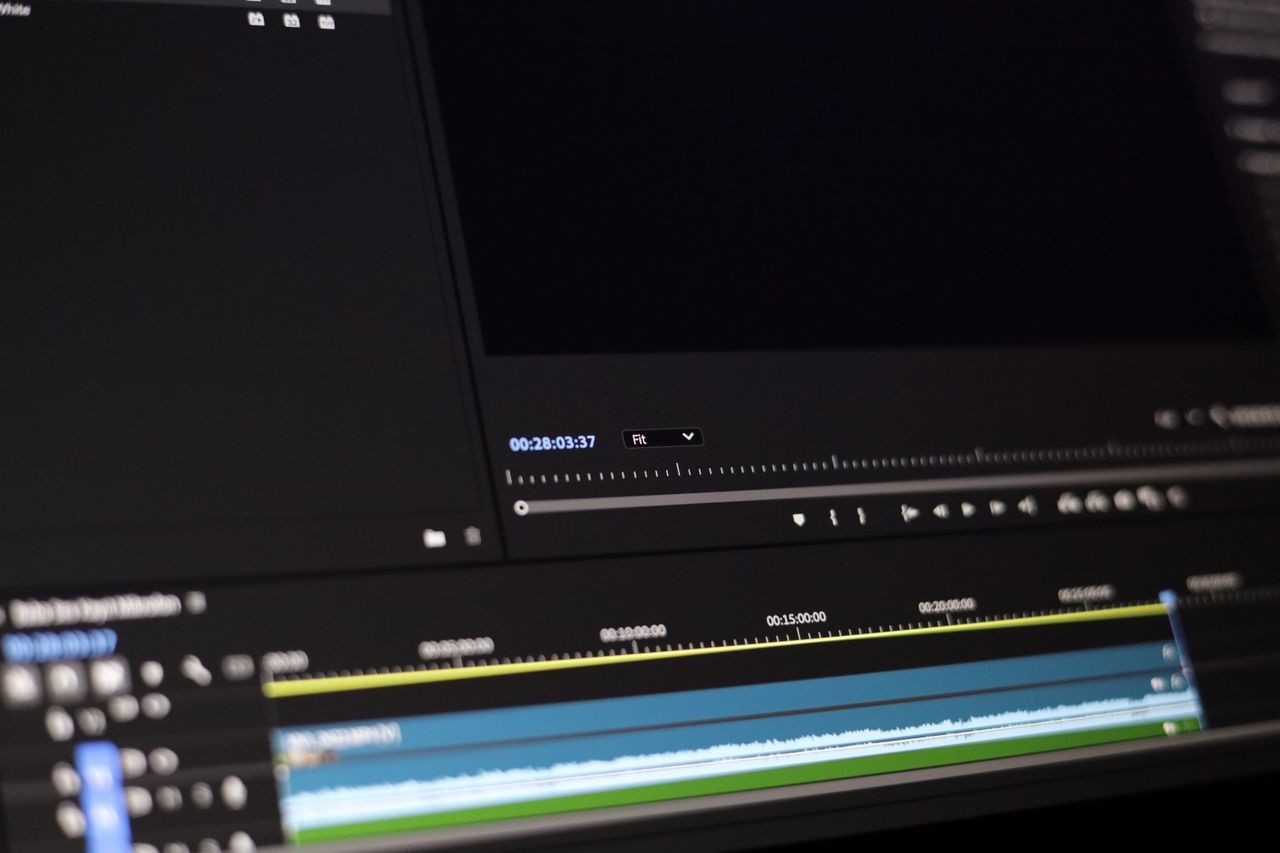
Adobe Premiere Pro and Audition. Adobe has built AI-powered noise reduction into its audio tools. The "Enhance Speech" feature in Premiere Pro uses the same technology as Adobe Podcast Enhance. It is a one-click solution that works well for most clips. You can also use the "DeNoise" and "DeReverb" effects in Audition for more control.
DaVinci Resolve. DaVinci Resolve has a powerful AI-based noise reduction tool in its Fairlight audio page. It is called "Voice Isolation" and it works similarly to Adobe's Enhance Speech. It is not free (you need the Studio version), but it is included with the paid version of Resolve and works very well.
Final Cut Pro. Final Cut Pro has a built-in "Enhance Audio" feature that uses AI to remove background noise. It is simple to use and works well for most situations. There are also third-party plugins like CrumplePop AudioDenoise that offer more advanced features.
iZotope RX. This is the gold standard for professional audio repair. It is not cheap, but it has the most advanced AI noise reduction tools available. The "Dialogue Isolate" feature can separate dialogue from background noise with incredible precision. It also has tools for removing clicks, hum, and reverb. If you do a lot of audio repair, this is worth the investment.
Online Tools
Adobe Podcast Enhance. As mentioned, this is a free web tool. You can upload audio files and get enhanced results in minutes. It is great for quick fixes.
Cleanvoice. This is a web-based tool that removes noise, filler words, and mouth sounds from audio. It is popular with podcasters. It is not free, but it offers a free trial.
Auphonic. This is an online audio post-production service that uses AI to level out audio, remove noise, and improve clarity. It is often used for podcasts and radio. It is not free for large files, but the pricing is reasonable.
Mobile Apps
Adobe Podcast. The Adobe Podcast app for iOS and Android lets you record and enhance audio on your phone. It is free and works surprisingly well.
Krisp. Krisp has a mobile app that works for calls and recordings. It is not as full-featured as the desktop version, but it is useful for mobile creators.
Voice Record Pro. This is a general-purpose recording app that has some AI noise reduction features. It is not as advanced as the dedicated tools, but it is convenient.
How to Use AI Noise Cancelers Effectively
Having a good tool is only half the battle. How you use it matters just as much. Here are some tips to get the best results.
Start with the best recording you can. AI can fix a lot, but it cannot work miracles. If your audio is completely unusable, no AI will save it. Try to record in a quiet environment, use a decent microphone, and keep the microphone close to your subject. The better the input, the better the output.
Use noise reduction in moderation. It is tempting to crank up the noise reduction to 100% and remove every last bit of background sound. But that often makes the voice sound unnatural and robotic. Use just enough to make the audio pleasant to listen to, and leave a little bit of room tone. A completely silent background can feel eerie and wrong.
Check for artifacts. After applying noise reduction, listen carefully for artifacts. These are weird sounds that were not in the original audio. They might sound like water bubbles, metallic ringing, or a slight warble. If you hear artifacts, reduce the strength of the noise reduction.
Use a reference track. If possible, compare your processed audio to the original. Listen to both on good headphones and on a phone speaker. Sometimes noise reduction sounds great on headphones but terrible on a phone. Make sure it sounds good on both.
Apply noise reduction before other effects. If you are using compression, EQ, or other audio effects, apply noise reduction first. That way, the other effects are working on a cleaner signal.
Consider using multiple tools. Sometimes one tool does not remove all the noise. You might use a dereverb tool first, then a noise reduction tool, and then a de-esser. Just be careful not to over-process.
Do not forget about the video. Noise in the audio can sometimes be caused by the video recording setup. For example, if your microphone is picking up the whir of a camera fan, you might need to move the microphone or use a different camera. AI can help, but fixing the source is always better.
The Limitations of AI Noise Cancellation
AI noise cancelers are amazing, but they are not perfect. It is important to understand their limitations so you do not rely on them too much.
They struggle with overlapping speech. If two people are talking at the same time, AI cannot separate them. It will either remove both voices or keep both voices. There is no way to isolate one speaker from a crowd.
They can remove parts of the voice. Some frequencies in the human voice overlap with noise. When the AI removes the noise, it may also remove some of the voice, making it sound thin or muffled.
They can introduce artifacts. As mentioned, over-processing can create strange sounds. Some tools are better than others, but all of them can produce artifacts if pushed too hard.
They are not good at fixing clipping. If the audio is distorted because it was recorded too loud, AI cannot restore the lost information. It can soften the distortion, but it cannot fix it.
They require good source audio. If the original recording is very noisy, the AI may not be able to separate the voice cleanly. There is a limit to how much noise can be removed.
They can be slow. Cloud-based tools require uploading and downloading, which can take time for long files. Real-time tools require a powerful computer.
They raise privacy concerns. If you are uploading sensitive audio to a cloud service, you need to trust that service. Some tools process everything locally, which is safer.
The Future of AI Noise Cancellation
AI noise cancellation is improving fast. Here are some trends to watch in the coming years.
Better real-time performance. As computers get faster, real-time noise cancellation will become more powerful. We will see tools that can remove complex noise in real time without any noticeable delay.
More control. Future tools will give users more control over what is removed and what is kept. Instead of a single "noise reduction" slider, you might have separate controls for hum, wind, chatter, and reverb.
Integration with cameras and microphones. We are already seeing cameras and microphones with built-in AI noise reduction. This trend will continue, making it easier to get clean audio at the source.
Personalized noise profiles. Some tools are starting to learn the sound of your voice and your environment. They can create a custom noise profile that removes noise more effectively without affecting your voice.
Better handling of overlapping speech. This is one of the hardest problems in audio processing. AI researchers are working on it, and we may see significant breakthroughs in the next few years.
More affordable and accessible. As the technology matures, it will become cheaper and more widely available. We will see AI noise cancellation built into more free tools and apps.
Final Thoughts
AI video noise cancelers have changed the game for video creators. They make it possible to get clean, professional-sounding audio without a professional studio. They are not perfect, and they cannot fix every problem, but they are an essential tool in any video editor's toolkit.
The key is to use them wisely. Start with the best recording you can. Use noise reduction in moderation. Check for artifacts. And always listen to the result on different speakers.
In 2026, there is no excuse for bad audio. With tools like Adobe Podcast Enhance, Krisp, NVIDIA Broadcast, and iZotope RX, you can remove noise from almost any recording. Whether you are a solo creator, a podcaster, or a professional video editor, there is a tool that fits your workflow and your budget.
Take the time to learn how these tools work. Experiment with different settings. Find the combination that works for you. Your viewers will thank you. Clean audio is one of the most important things you can do to make your videos feel professional, and AI makes it easier than ever.

Comments (0)